Complete Control, Simple Interface
Managing a residential community shouldn't require an IT degree. Our admin tools give you powerful capabilities wrapped in an interface anyone can use.
Member Management Made Simple
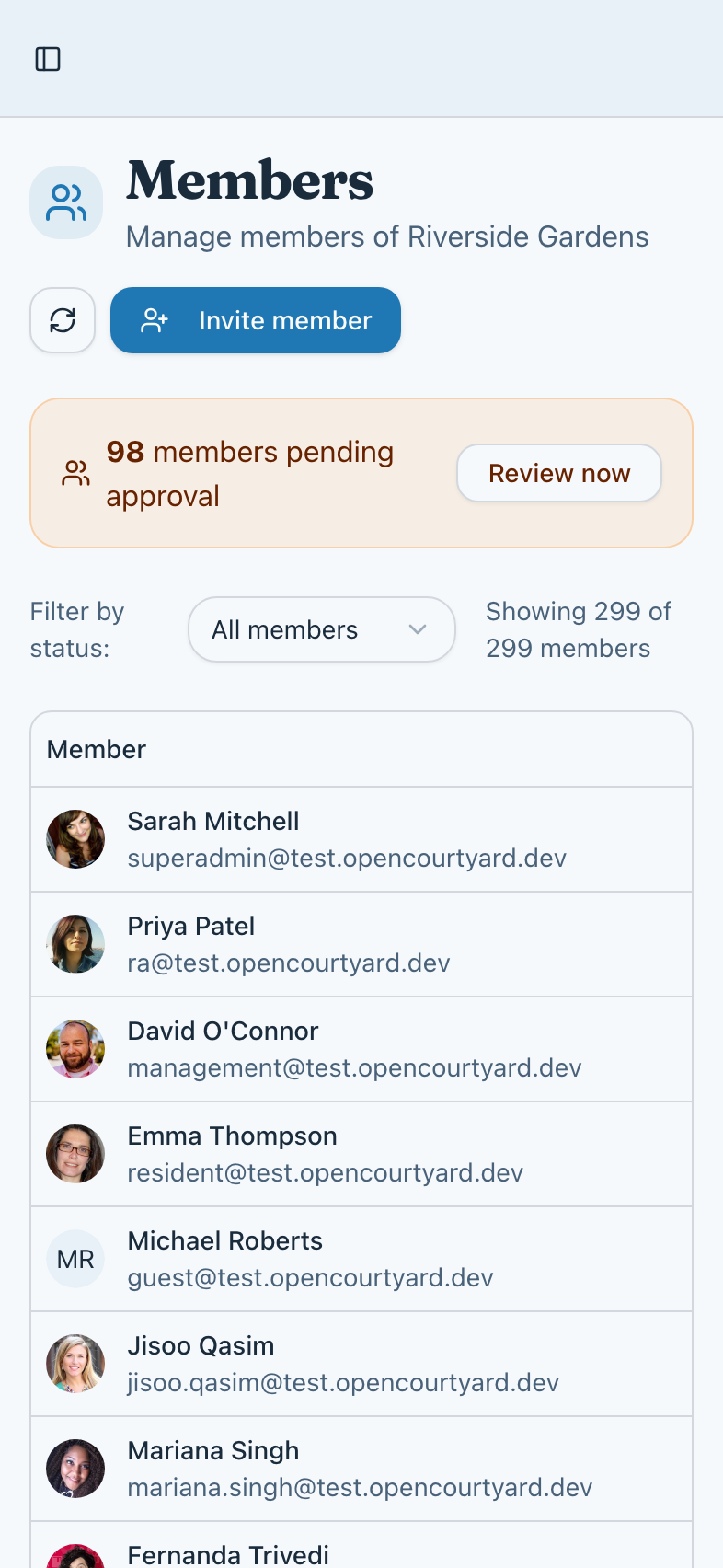
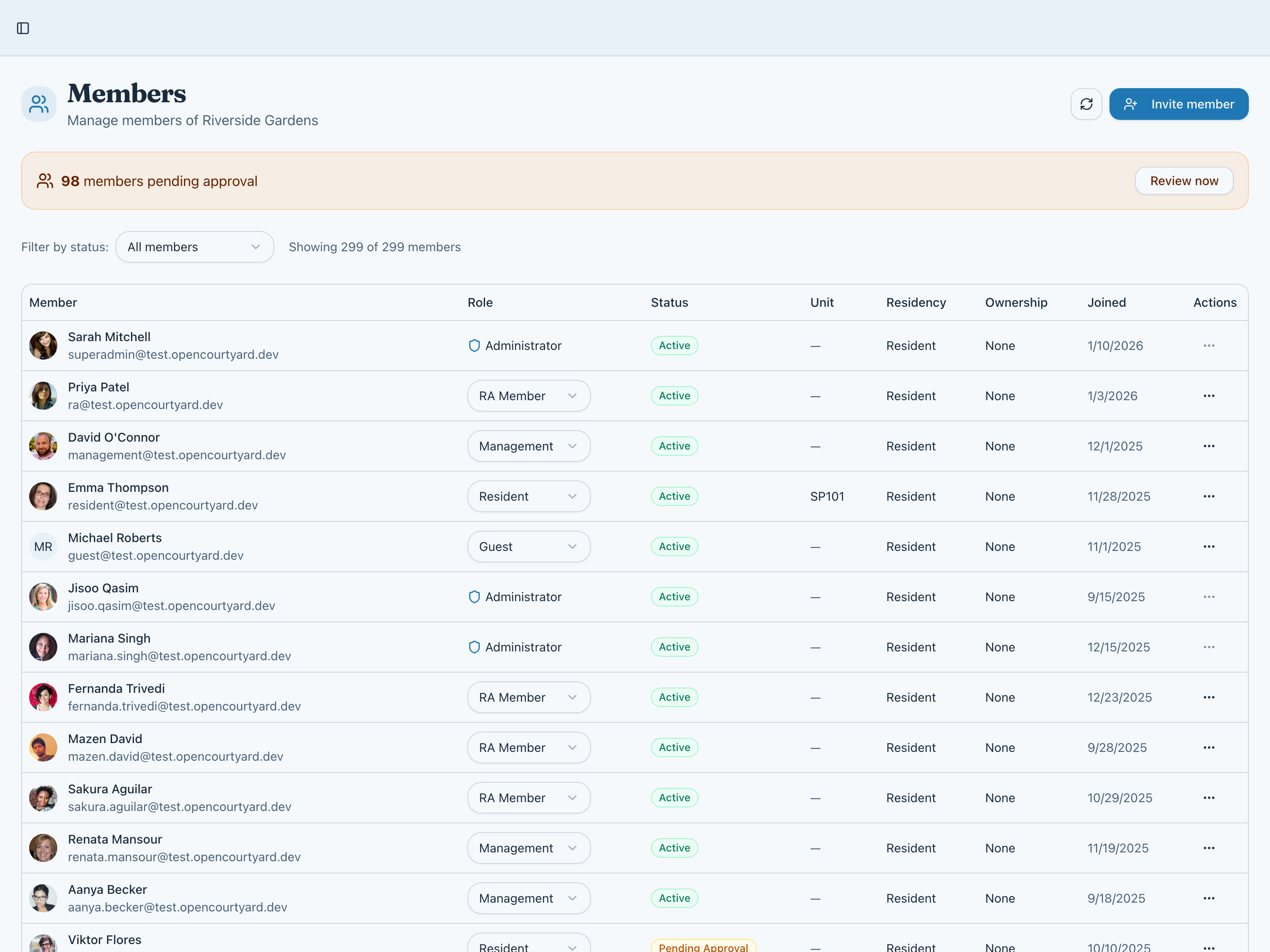
See all your residents in one place. Filter by status, role, or building. Approve pending requests, update roles, and manage access—all from a single, intuitive interface.
- View all members with status and role
- Filter by pending, approved, or inactive
- Batch actions for multiple members
- Quick access to member profiles and history
Flexible Onboarding Options
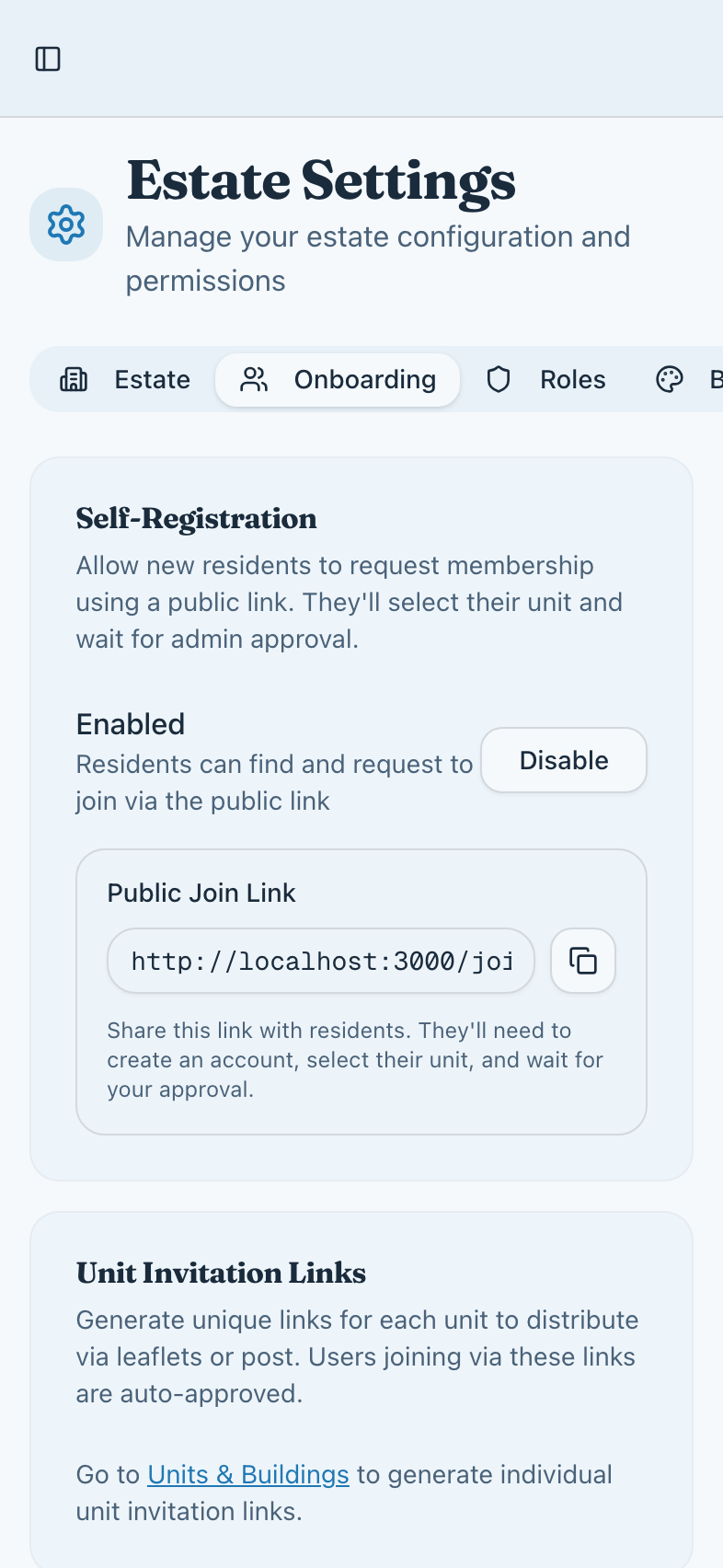
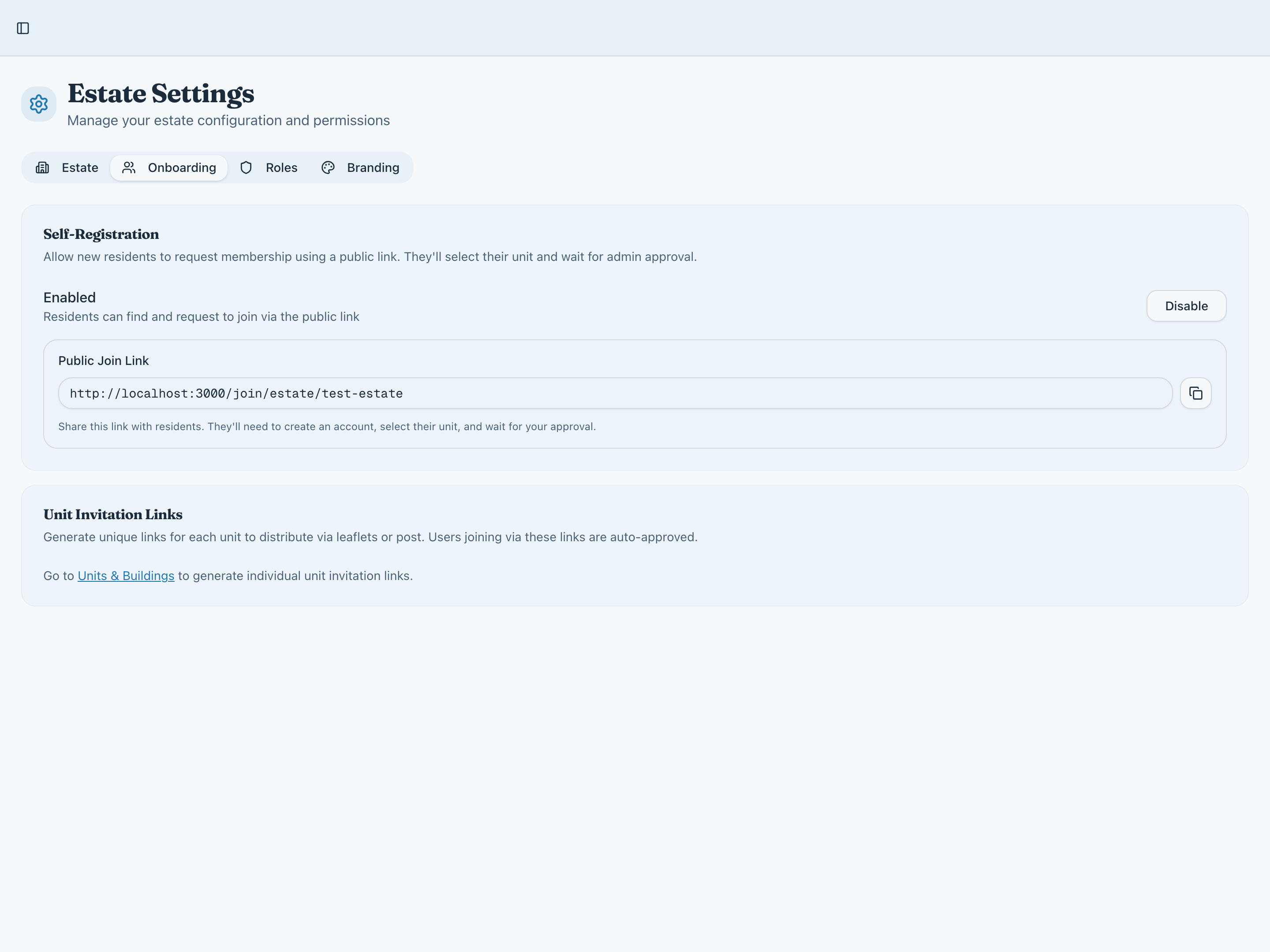
Different communities need different approaches. Use direct unit invitations for controlled access, or open registration with approval for easier onboarding. You're in control.
- Unit-specific invitation links
- Estate-wide registration portal
- Approval workflow for new requests
- Automatic unit assignment options
Roles That Fit Your Structure
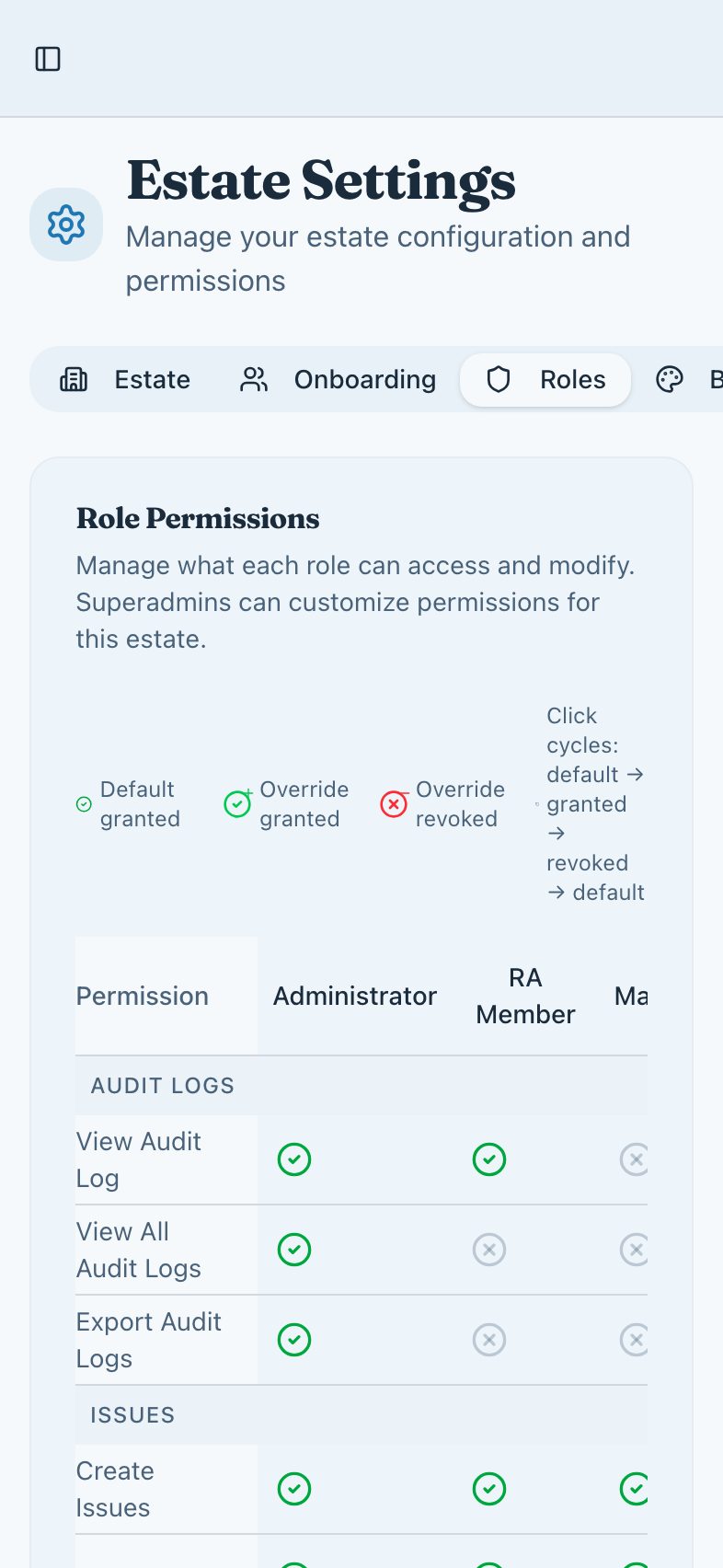
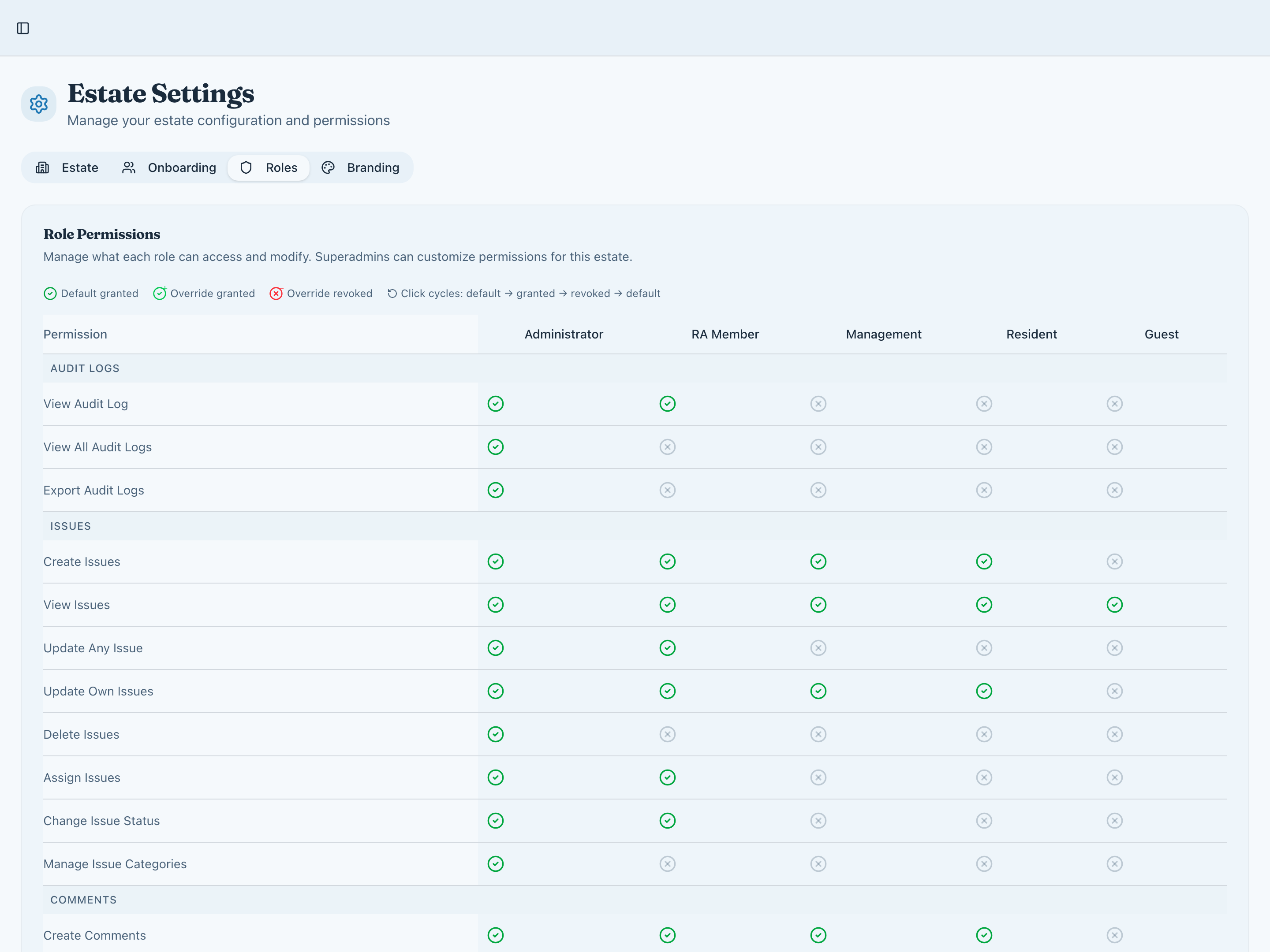
From basic resident access to full committee powers, our role system adapts to how your community operates. Custom permissions let you fine-tune exactly who can do what.
- Pre-defined roles: Resident, RA Member, Admin
- Custom permission overrides per member
- Role-based access to sensitive features
- Clear visibility of who has what access
Brand Customisation
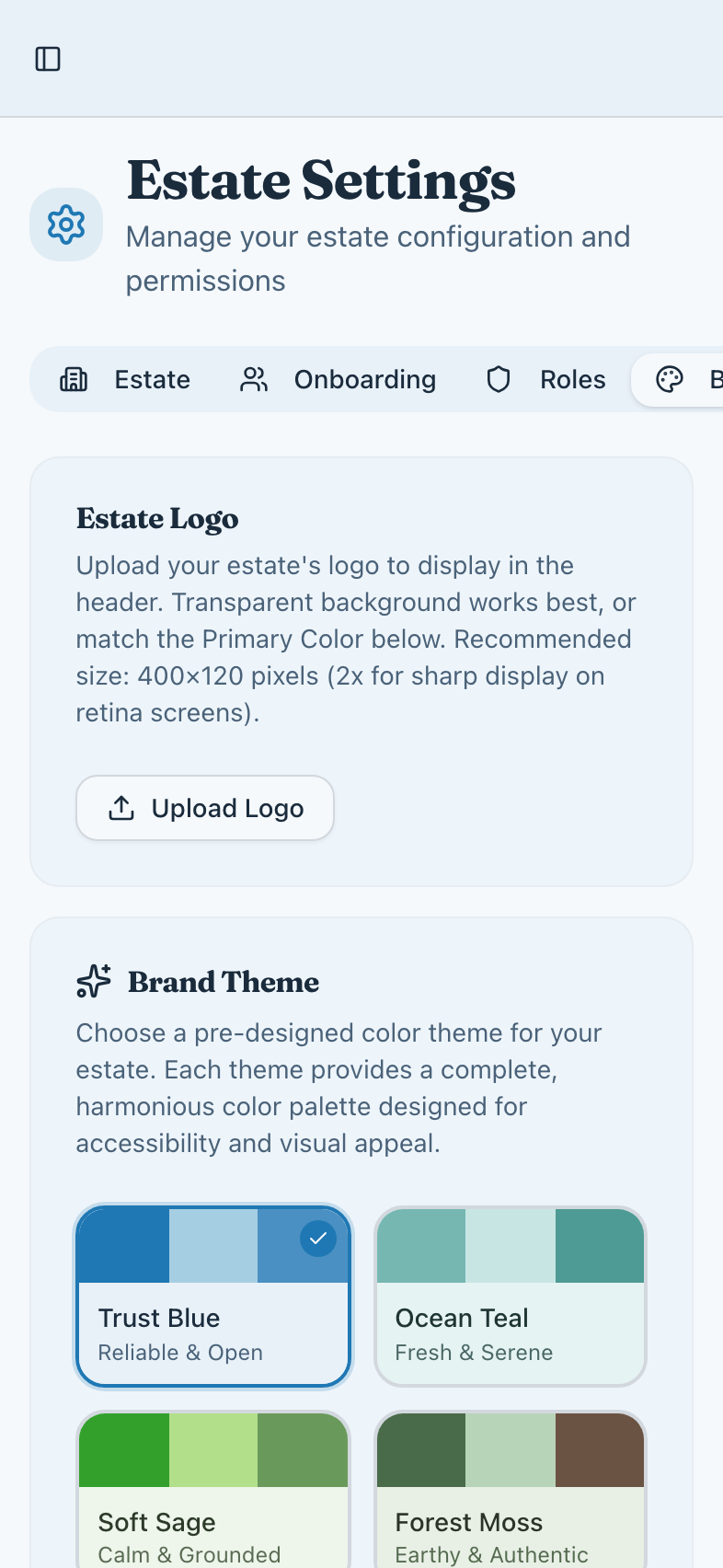
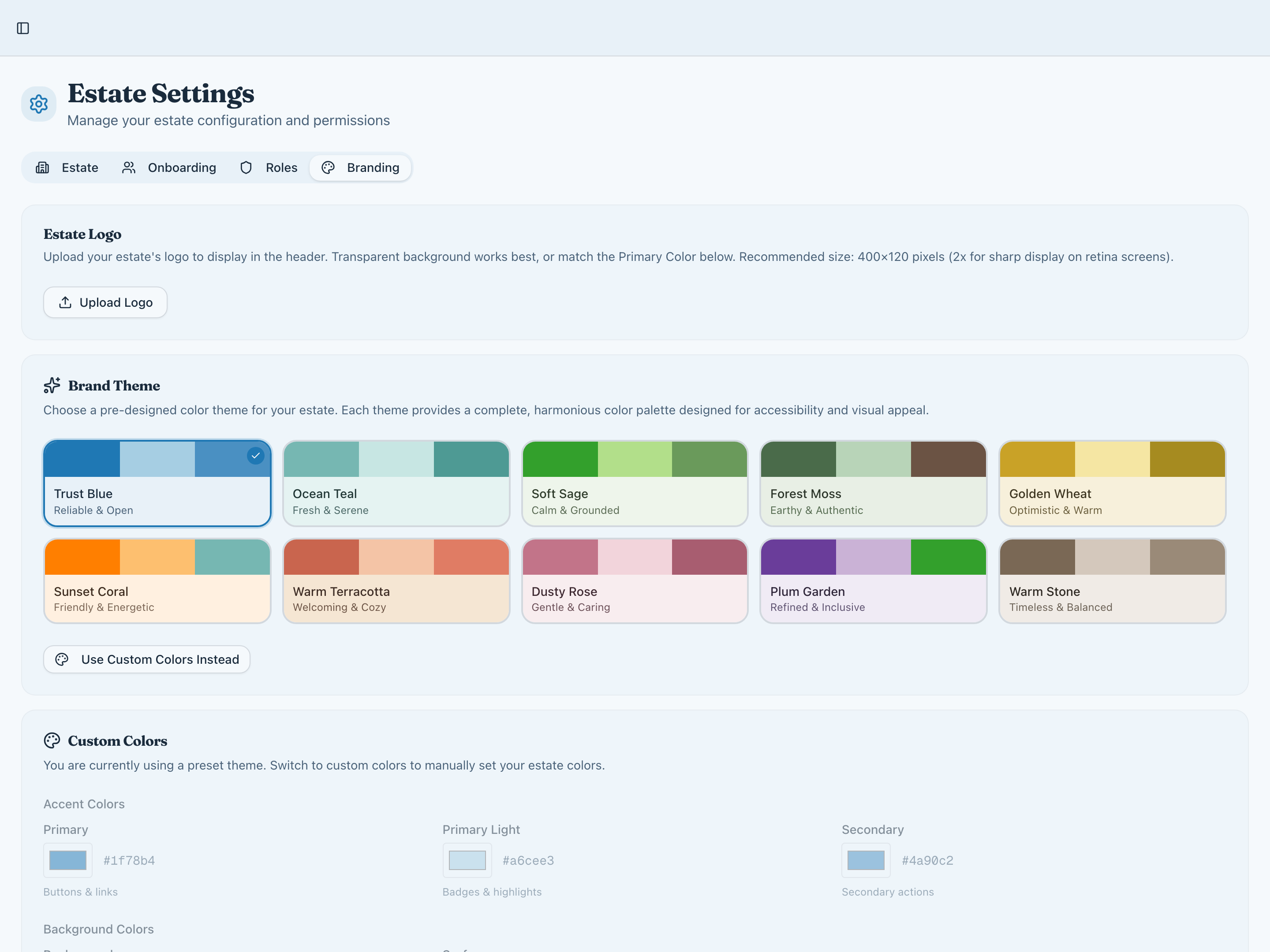
Make your community platform feel like home with customisable branding options.
- Choose from 10 professionally designed colour themes
- Fine-tune with custom colour picker
- Upload your community logo
- Consistent branding across all pages
Property Management
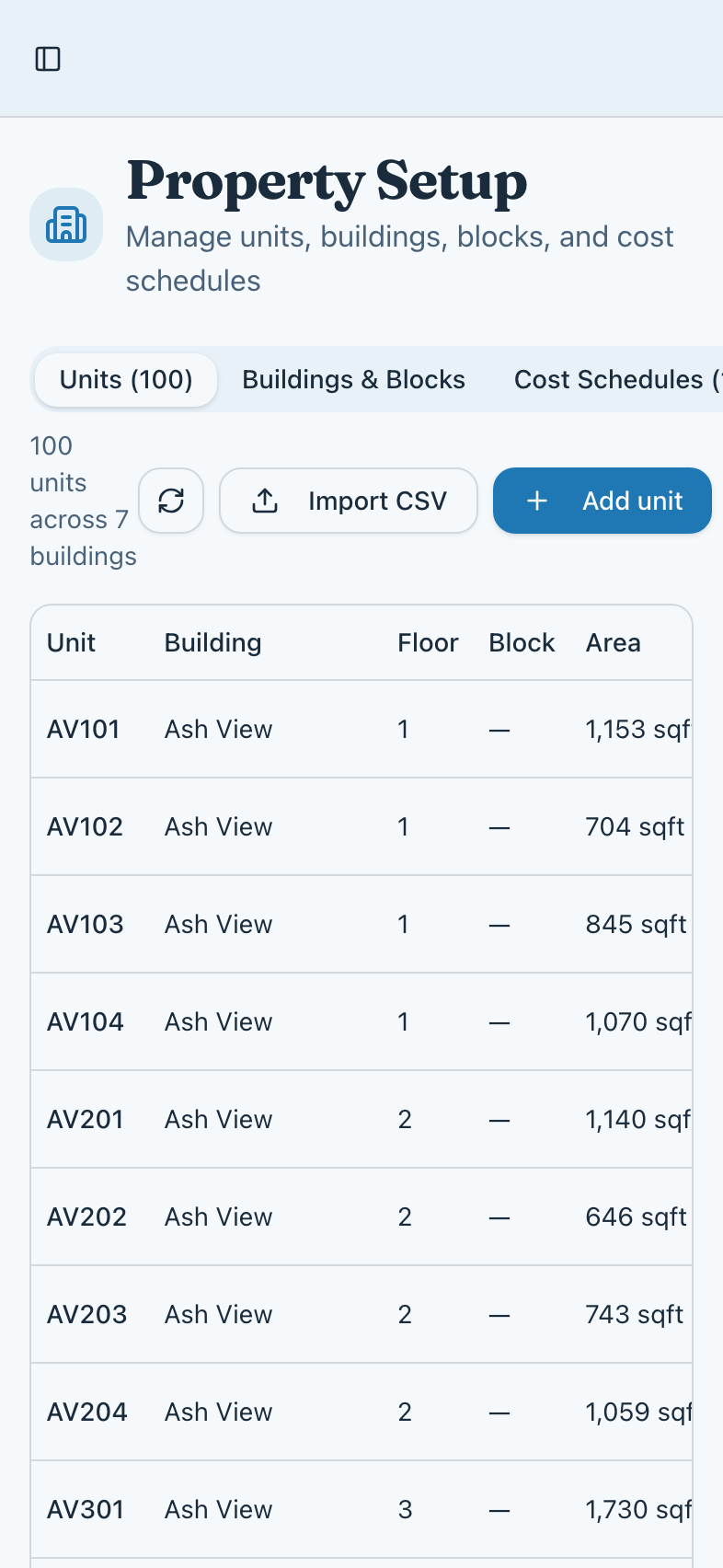
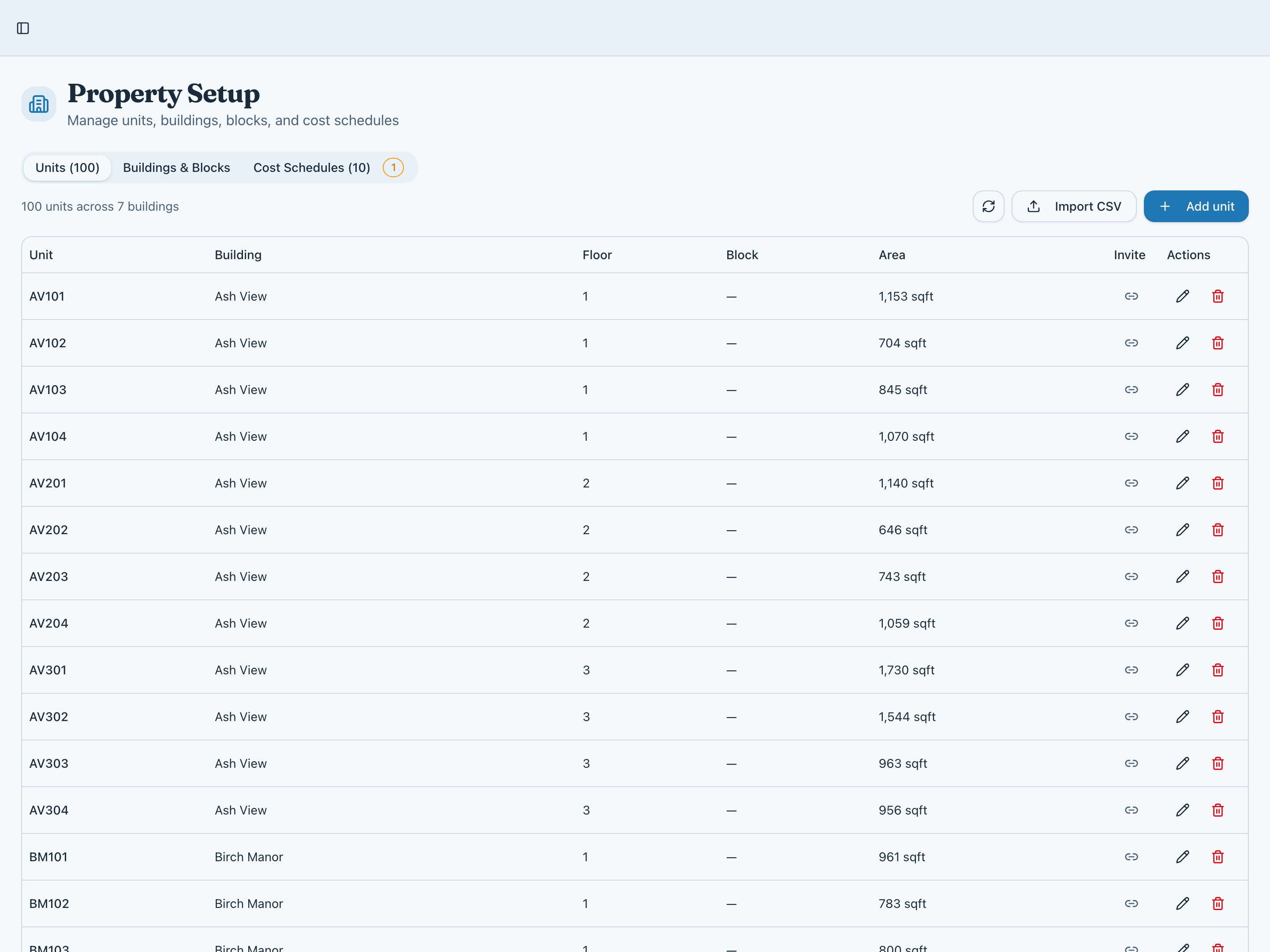
Organise your estate structure with comprehensive unit and building configuration.
- Manage units across multiple buildings
- Bulk import via CSV upload
- Configure floor plans and unit details
- Set up cost allocation schedules
Parking Allocation
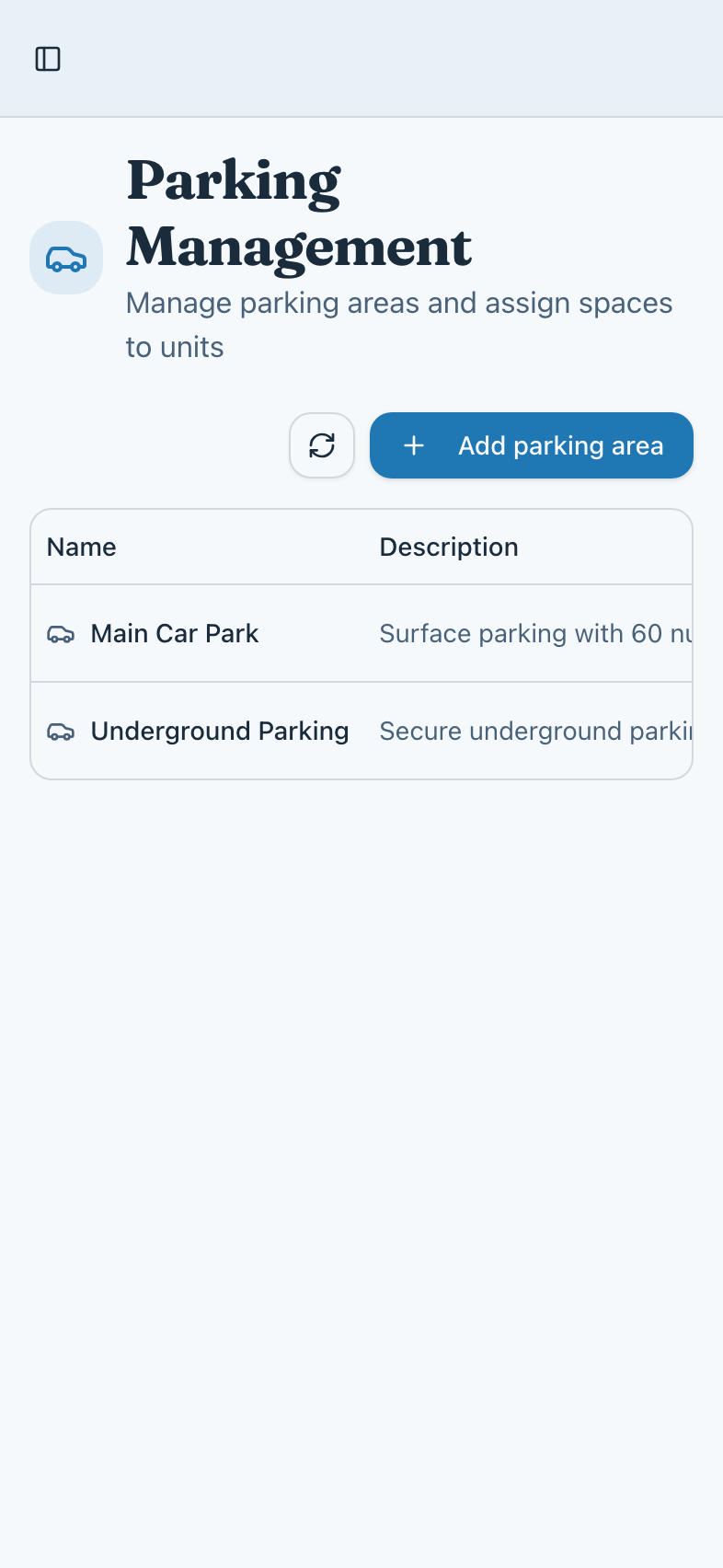
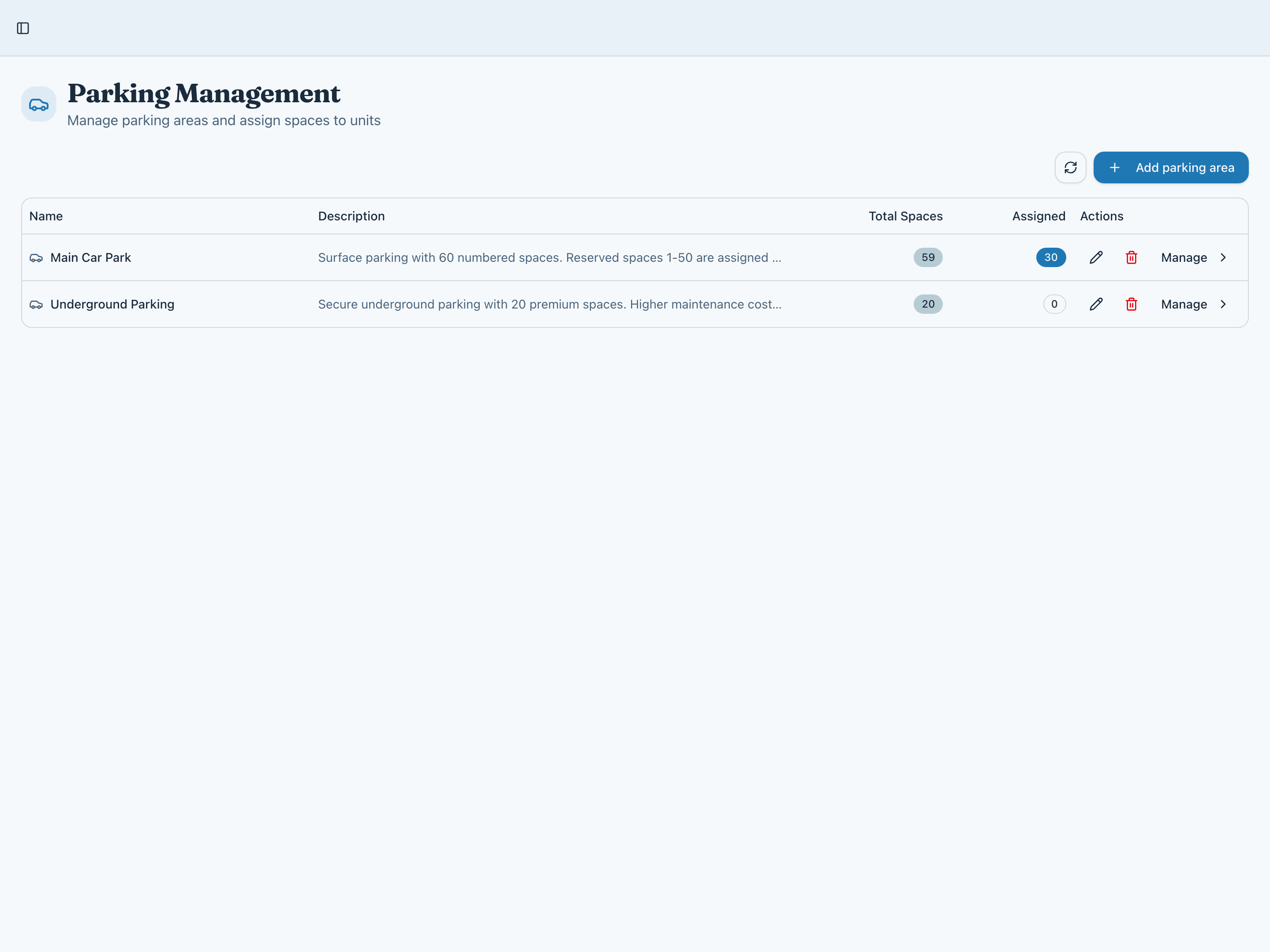
Efficiently manage parking spaces and assignments across your community.
- Define multiple parking areas
- Allocate spaces to specific units
- Track available and assigned spaces
- Support for different parking types
Seamless Unit Invitations
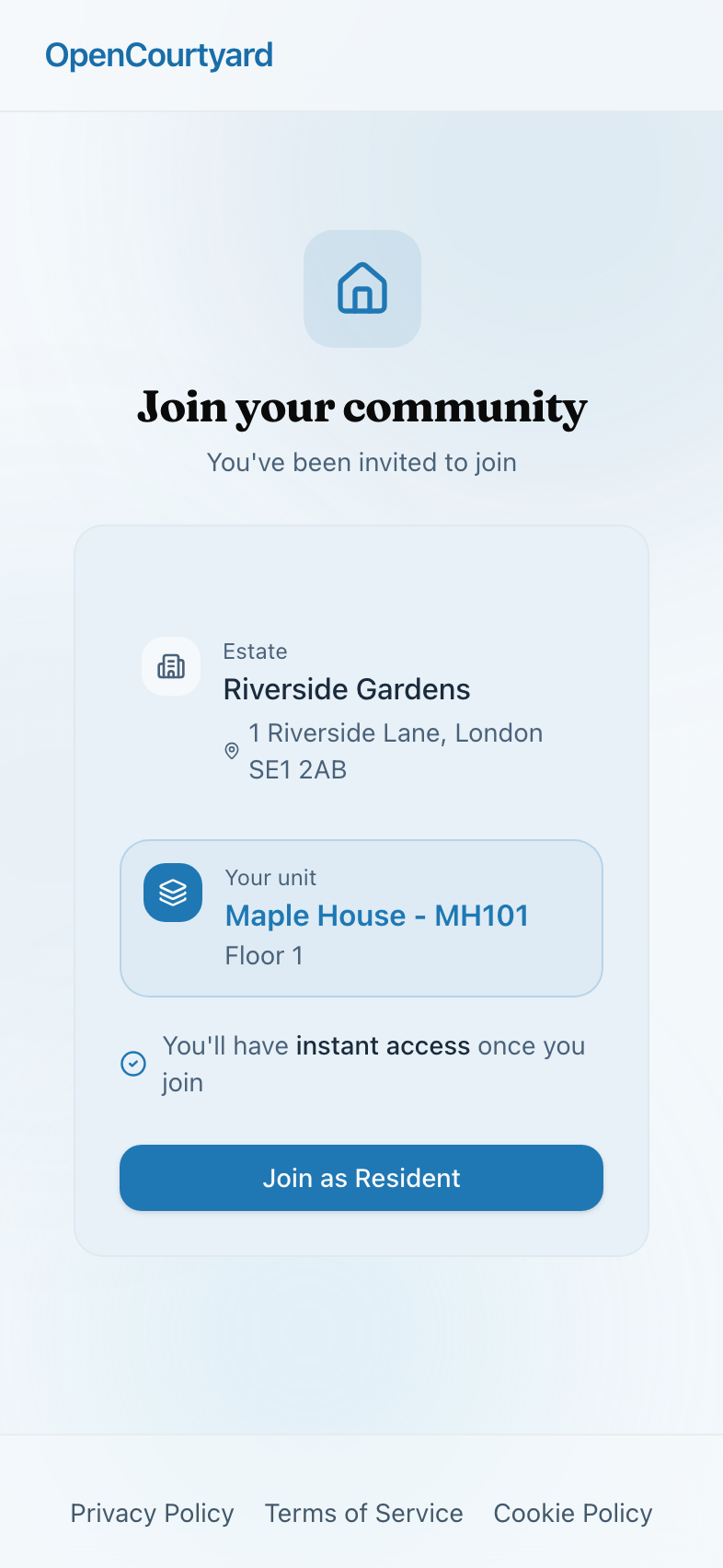
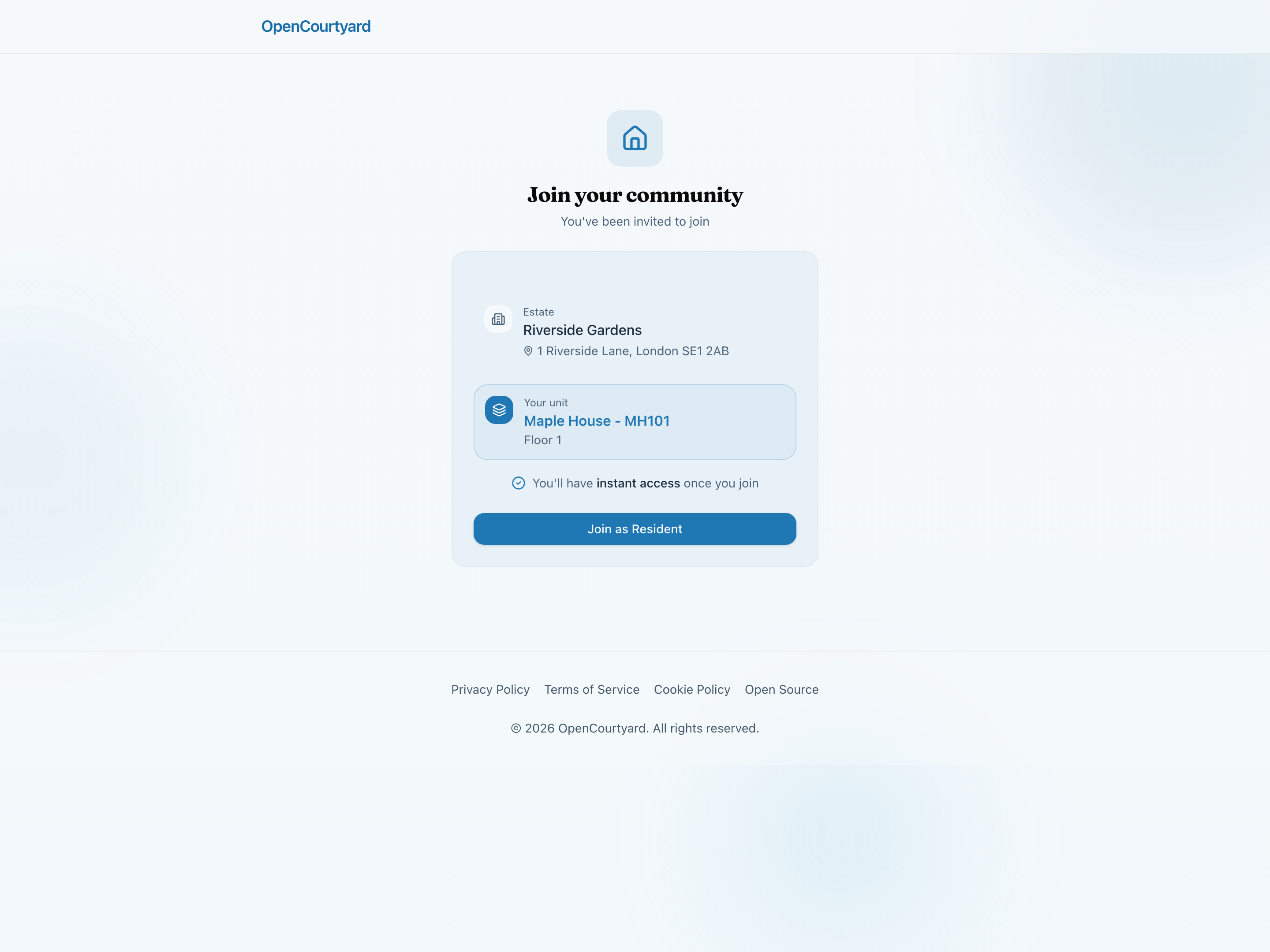
When you send a unit invitation, residents see a polished welcome page with their estate and unit details ready. One click to join—no confusion, no friction.
- Branded welcome page with estate details
- Pre-assigned unit shown clearly
- Instant access upon joining
- Works on any device
Self-Registration Made Easy
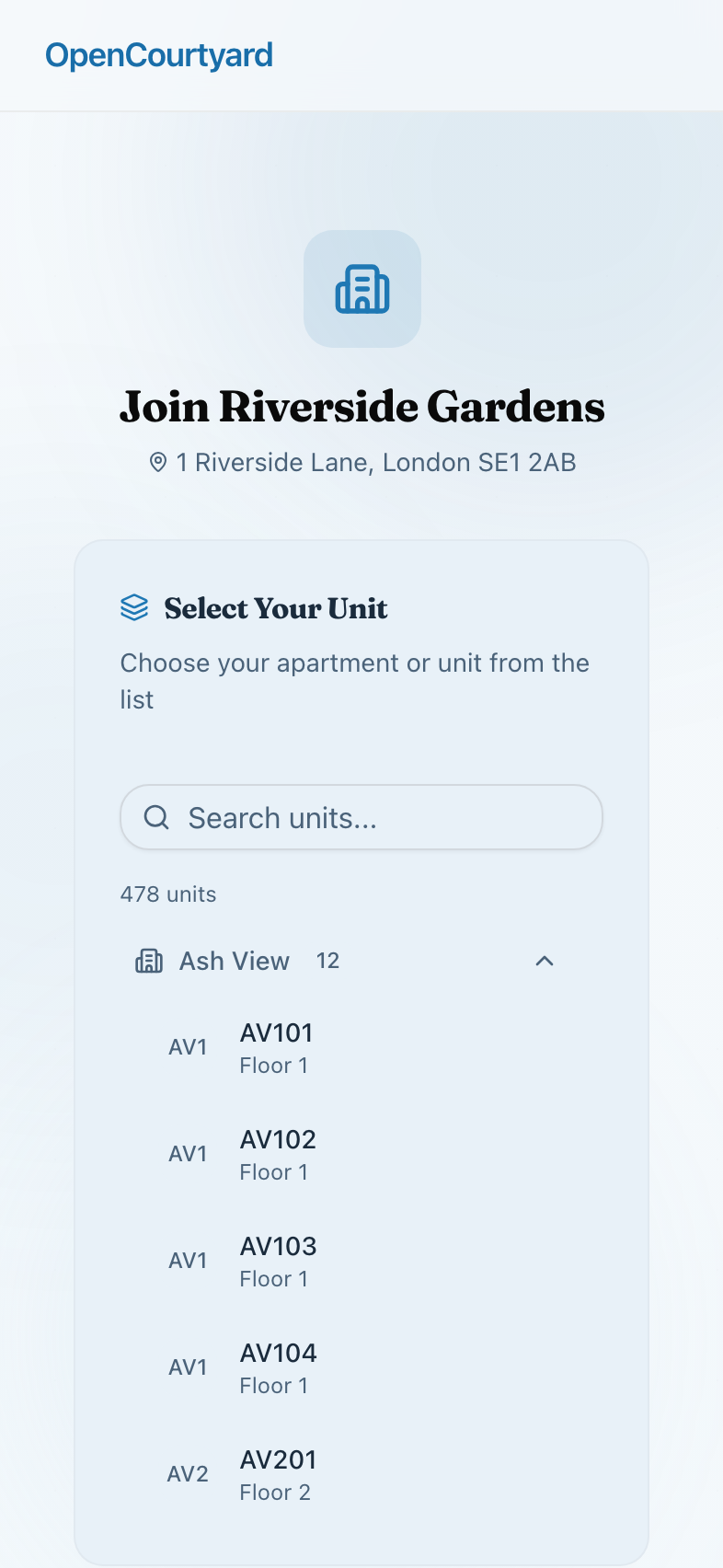
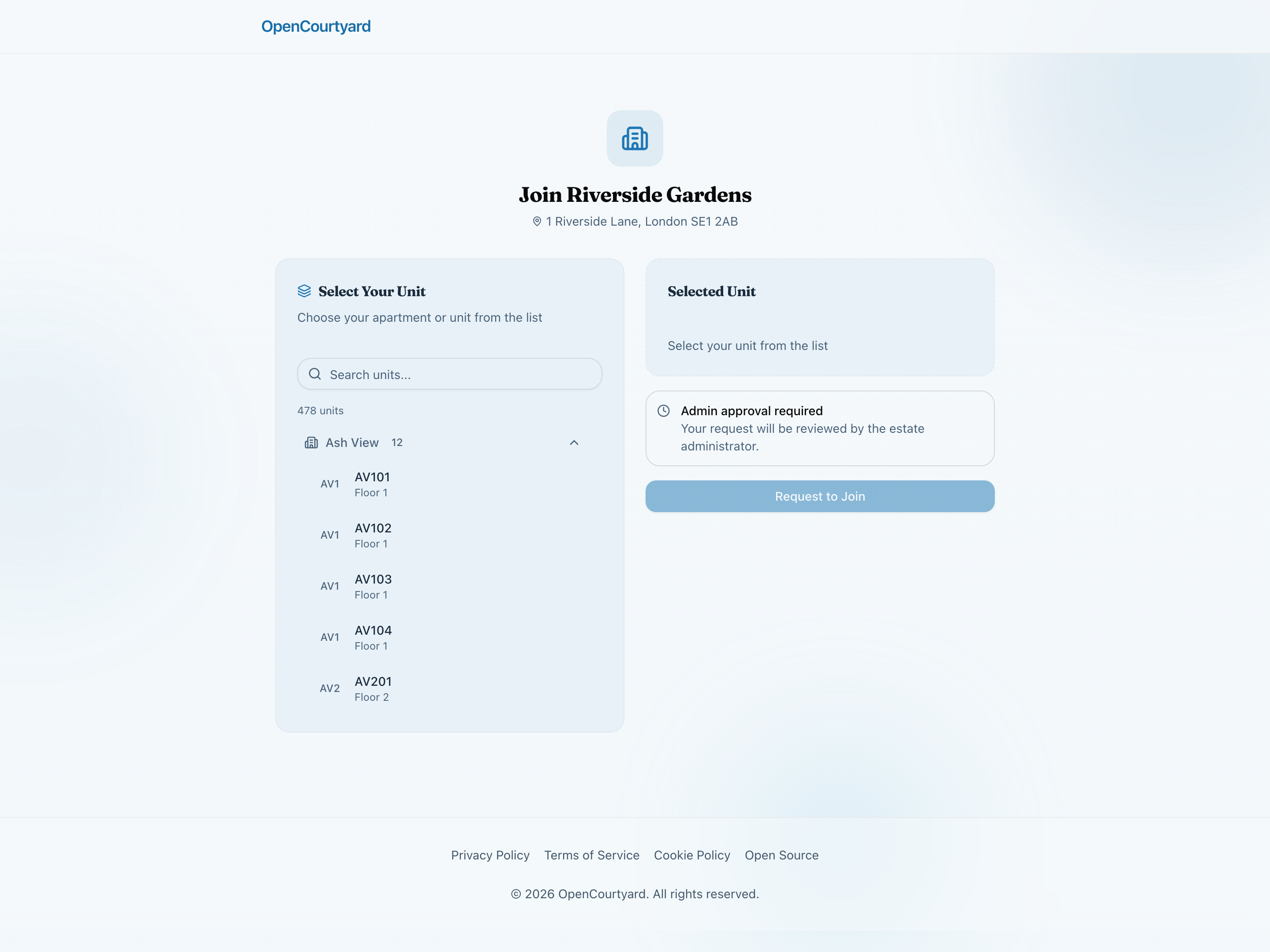
Share your estate's public link and let residents find their own unit. A searchable directory grouped by building makes selection simple, while approval workflows keep you in control.
- Searchable unit picker by building
- Clear approval process messaging
- Residents select their own unit
- Review requests before granting access
Everything You Need to Manage Your Community
Invite Members
Send invitation links to specific units or share a general estate link.
Approval Workflow
Review and approve new member requests before they join.
Role Management
Assign roles from resident to committee member to admin.
Custom Permissions
Fine-grained control over who can access what features.
Estate Settings
Configure estate-wide settings and preferences.
Bulk Communications
Send announcements to all members or specific groups.
Activity Logs
Complete audit trail of all administrative actions.
Unit Management
Manage buildings, units, and resident assignments.
Coming Soon
Service Charges & Invoices
Coming SoonTrack service charge budgets, generate transparent invoices, and give leaseholders visibility into how their money is spent. Full audit trails and export capabilities for AGMs.
Founding Member Program
Ready to run your estate in the open?
Join the Founding 5 - the first estates building a new standard for residential transparency.